> ## Documentation Index
> Fetch the complete documentation index at: https://docs.xano.com/llms.txt
> Use this file to discover all available pages before exploring further.
# Addons in Xano
> Learn how to build and use Addons in Xano to fetch related data for APIs and other queries.
Before continuing, make sure you're familiar with:
* [Core Components](/building/logic/core-components)
* [Working with Data](/building/logic/working-with-data)
## Addons in Xano
Addons are reusable queries that allow you to fetch related or nested data alongside your main API responses. They are commonly used to join or expand data from related tables, such as fetching all tasks that belong to a specific user.
Each Addon has:
* A name (unique identifier, e.g., `tasks_of_lists`)
* Inputs (parameters to filter or join data)
* Logic (the query to fetch the related data)
Unlike APIs, Addons do not have a response block. The output of the query in the stack is returned by default.
## Creating an Addon
From a database operation function, click the Add Addon button in the Output tab. Addons can be nested under arrays, so make sure to select the correct location.
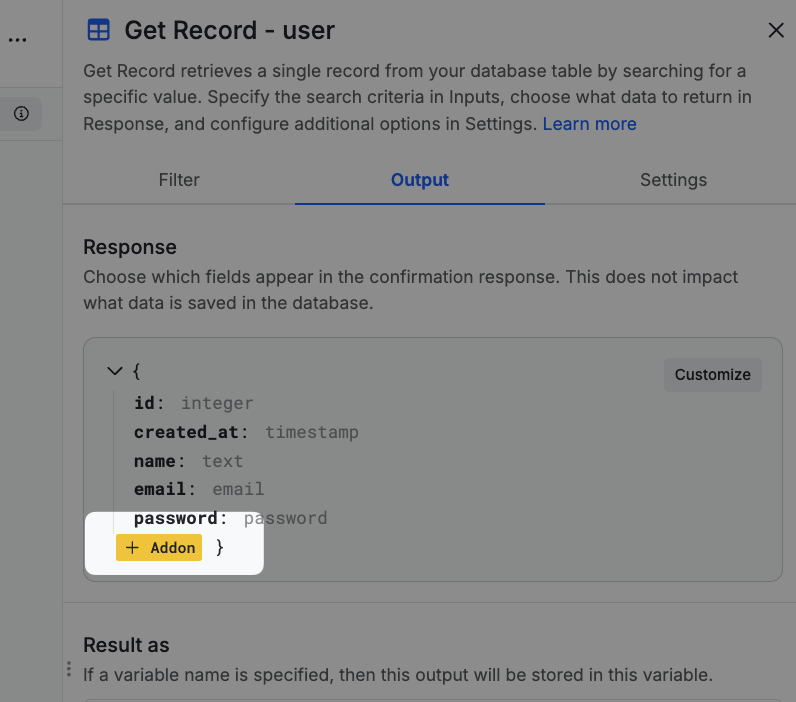
Choose Create a New Addon in the modal that appears.
Choose the table you'd like to get data from.
Choose whether the addon should return a single item (such as retrieving a user's location) or a list of items (such as retrieving all tasks that belong to a user). You can also return a count, a true/false value if the data exists, or an advanced aggregation.
In this example, we're getting a record from the `user` table, and retrieving all of the lists from the `lists` table that belong to that user. Select the field from table you're getting data from in the addon that relates back to the original table you're querying. So, on our `lists` table, we have a `user_id`, which is the ID of the user from the `user` table.
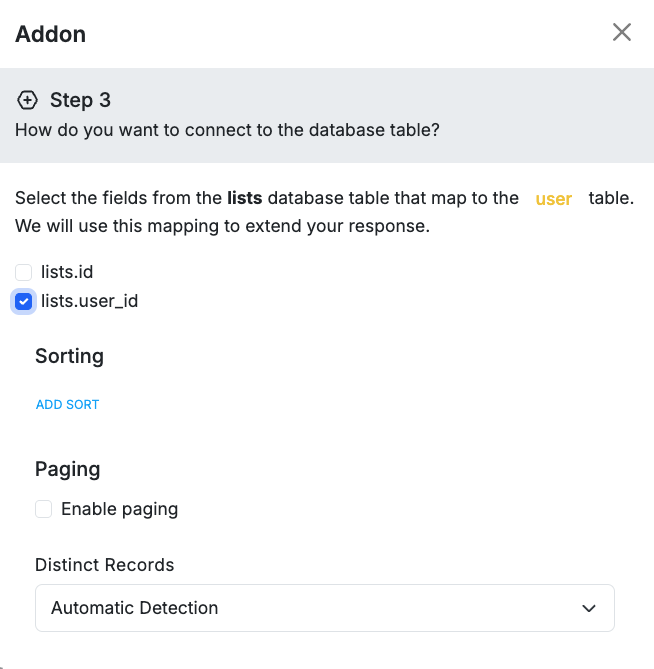
Click Next, give your addon a name, and click Save.
You'll then be able to select where the addon gets the value to look up in the related table; in this case, the `id` of the user record. Xano will fill this in by default for you, but you can change it here if necessary. You can also choose a key for the data to live under in the response.
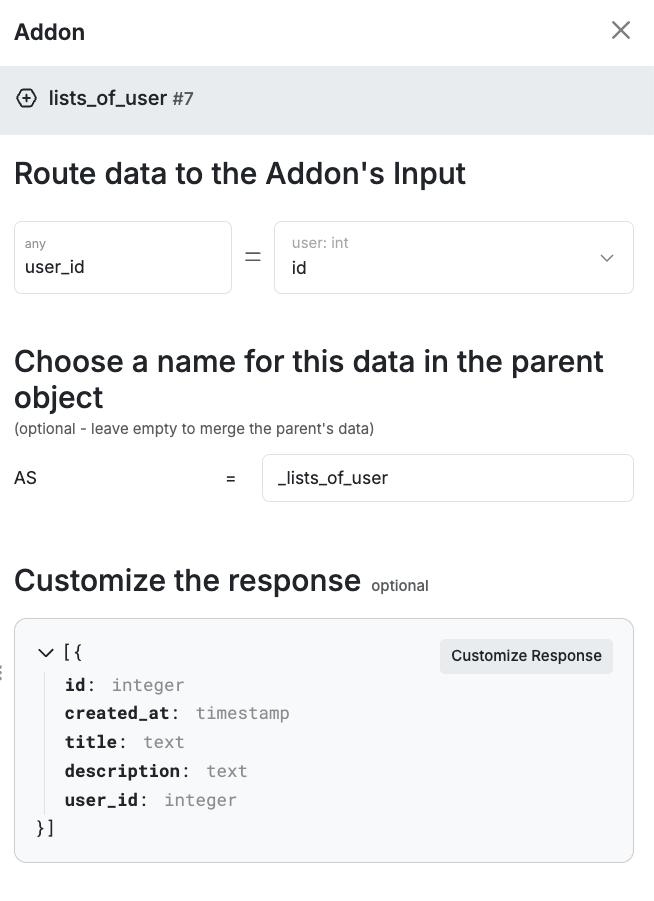 Click Done to finalize your choices and create the addon.
A basic addon in XanoScript has two parts — **inputs** and **logic** (the query):
```javascript lines icon="code" Example of a basic addon in XanoScript theme={null}
addon tasks_of_lists {
input {
int lists_id? {
table = "lists"
}
}
stack {
db.query tasks {
where = $db.tasks.lists_id == $input.lists_id
return = {type: "list"}
}
}
}
```
For more information on how to build Addons in XanoScript, see the XanoScript Addon documentation.
Click Done to finalize your choices and create the addon.
A basic addon in XanoScript has two parts — **inputs** and **logic** (the query):
```javascript lines icon="code" Example of a basic addon in XanoScript theme={null}
addon tasks_of_lists {
input {
int lists_id? {
table = "lists"
}
}
stack {
db.query tasks {
where = $db.tasks.lists_id == $input.lists_id
return = {type: "list"}
}
}
}
```
For more information on how to build Addons in XanoScript, see the XanoScript Addon documentation.