> ## Documentation Index
> Fetch the complete documentation index at: https://docs.xano.com/llms.txt
> Use this file to discover all available pages before exploring further.
# Git Sync
> Learn how to use Git Sync to sync your Xano workspace to GitHub or GitLab
Xano supports **one-way Git sync** to GitHub and GitLab.
This feature makes your XanoScript a first-class citizen in your development workflow, while keeping Xano as the **source of truth**. Publish your XanoScript to GitHub or GitLab to keep a versioned copy of your code outside of Xano for disaster recovery, compliance, or auditing. Or open source your XanoScript to the world to get feedback, contributions, and help from the community.
***
## How It Works
* **Write code** in the Xano UI or in your IDE with the XanoScript VS Code extension.
* **Sync to Xano** — all changes flow through Xano first.
* **Push to Git** — Xano can export your latest code to GitHub or GitLab.
***
## Benefits of Git Sync
### 🔐 Version Control
Every sync creates a new commit in your Git repo. Track the history of changes and roll back when needed.
### 🧰 Collaboration
Use branches, pull requests, and code reviews. Non-Xano teammates can review and contribute using familiar Git tools.
### ☁️ Backup & Transparency
Keep a secure, versioned copy of your code outside of Xano for disaster recovery, compliance, or auditing.
### 🔄 Automation & Integration
Plug your XanoScript into CI/CD pipelines, linters, and security scanners. Git sync bridges Xano into your existing engineering ecosystem.
***
## What Git Sync Is *Not*
> ❌ Git sync is **not** a way to deploy code into Xano.\
> ❌ You cannot push changes from GitHub/GitLab into Xano.\
> ✅ All changes must flow through Xano—either via the UI or the XanoScript VS Code extension.
***
## Example Workflow
1. Jamie edits an API function in **VS Code** using the XanoScript extension.
2. The changes sync directly to **Xano**.
3. From Xano, Jamie pushes the latest code to **GitHub**.
4. The team reviews the diff in GitHub, merges a pull request, and maintains a clean version history.
***
## Using Git Sync in Xano
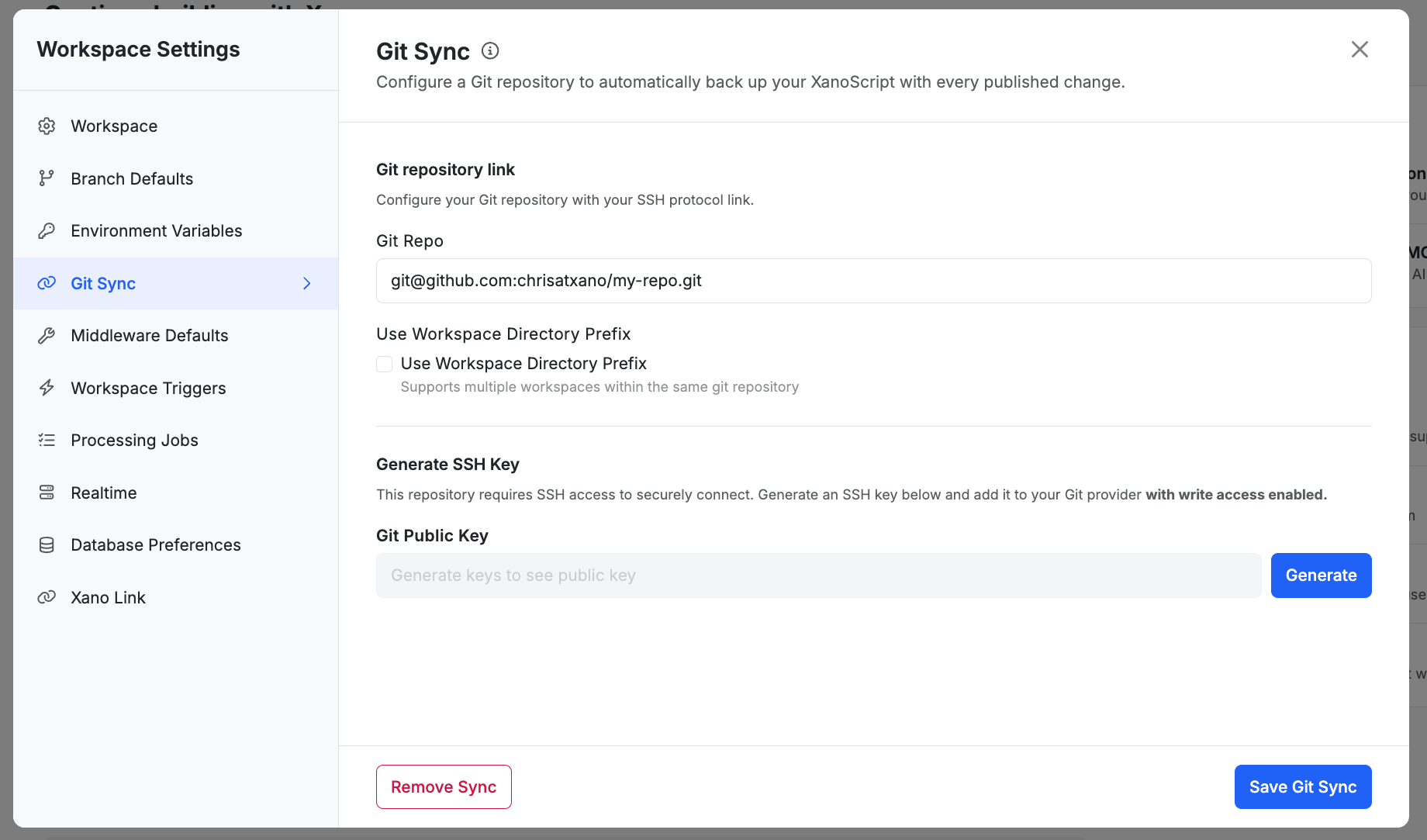
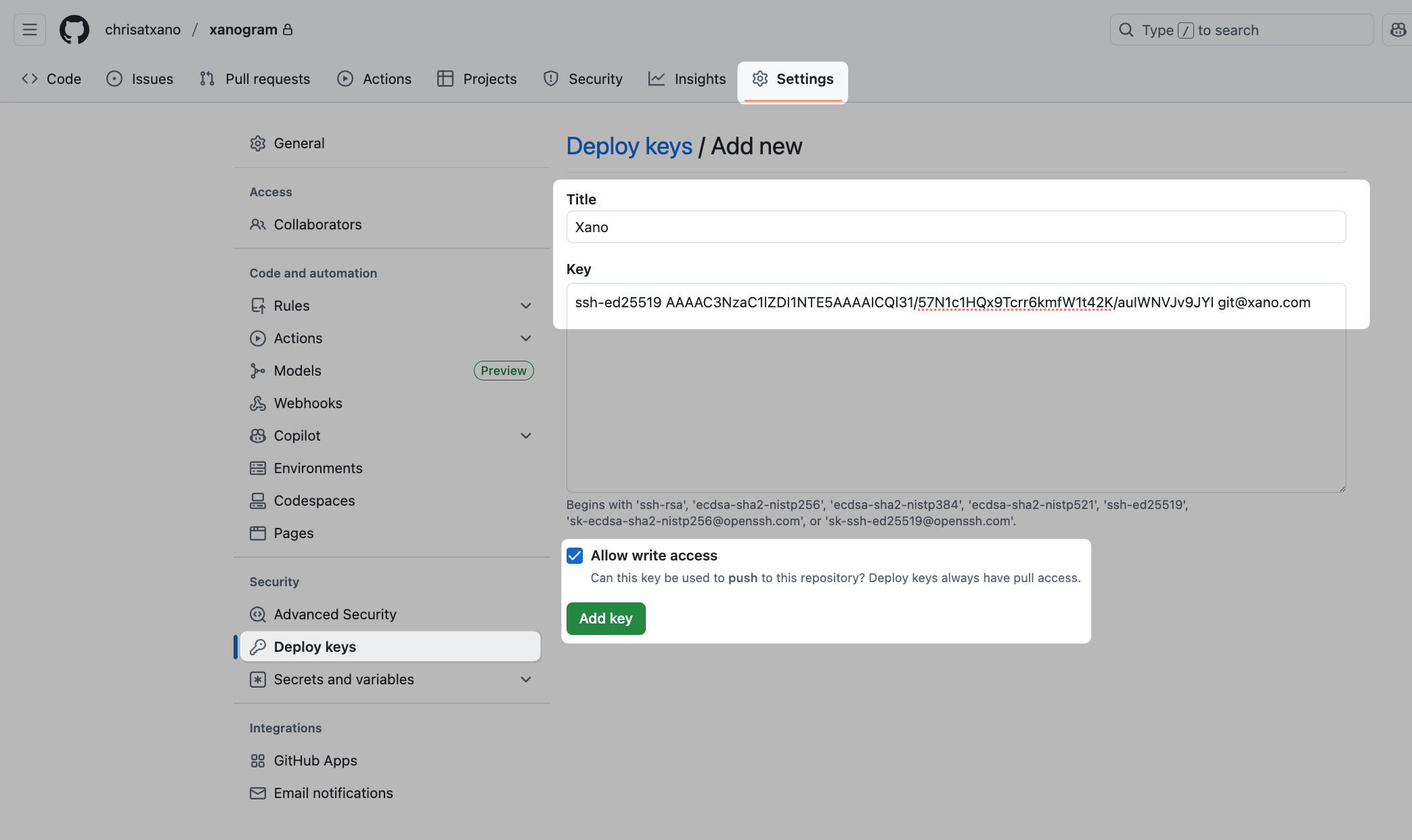
In Xano, click the Generate button. Copy this key and add it to your repository settings.
***
## FAQ
**Why can’t I push changes from GitHub into Xano?**\
Xano treats itself as the **single source of truth** for XanoScript.\
Pulling code from Git would create conflicts, dependencies, and merge issues. Instead, use the XanoScript VS Code extension to push changes directly to Xano. Git is your **mirror** for history, backup, and collaboration.