


NOTICEXanoScript is in beta and it is strongly recommended that you do not use it in production at this time.While there should be significant parity between the visual builder and XanoScript, we are still fine-tuning and adjusting XanoScript, and breaking changes may be introduced.
Navigation
Introduction
Key Concepts
XanoScript - Database
XanoScript - Functions and APIs
XanoScript - Background Tasks
XanoScript Function Reference
XanoScript Filter Reference
A note about Custom FunctionsAPIs and custom functions behave largely the same in XanoScript, so you can use this documentation to serve as a resource for both.The only additional resource you will need is some custom function specific XanoScript, which is available below. Starting at the input block, everything is the same as an API.
Accessing XanoScript in your Function Stacks
Use the quick toggle above the input blocks to switch between XanoScript and the visual builder.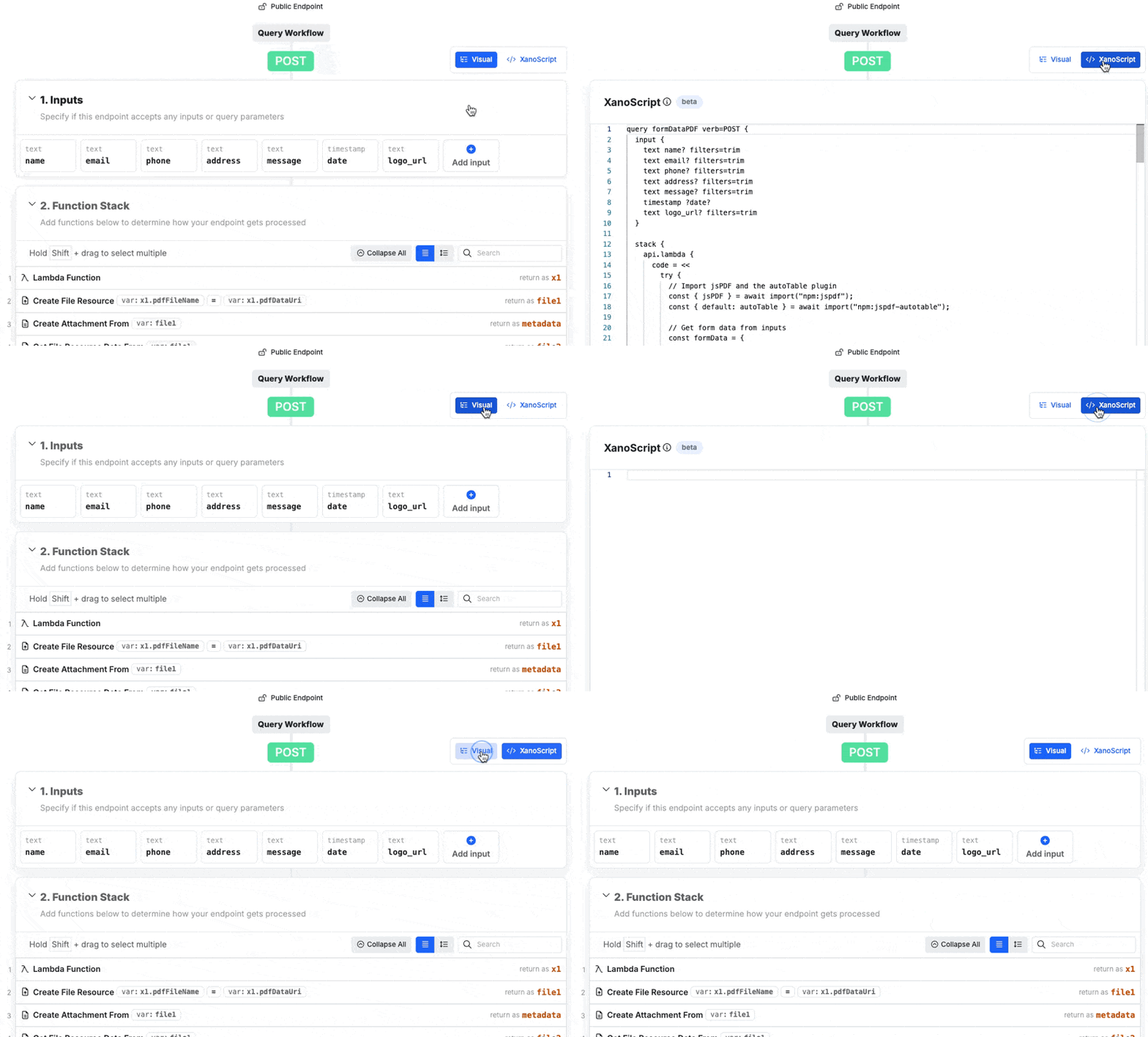
What does a XanoScript function stack look like?
This is a typical Get Record API endpoint.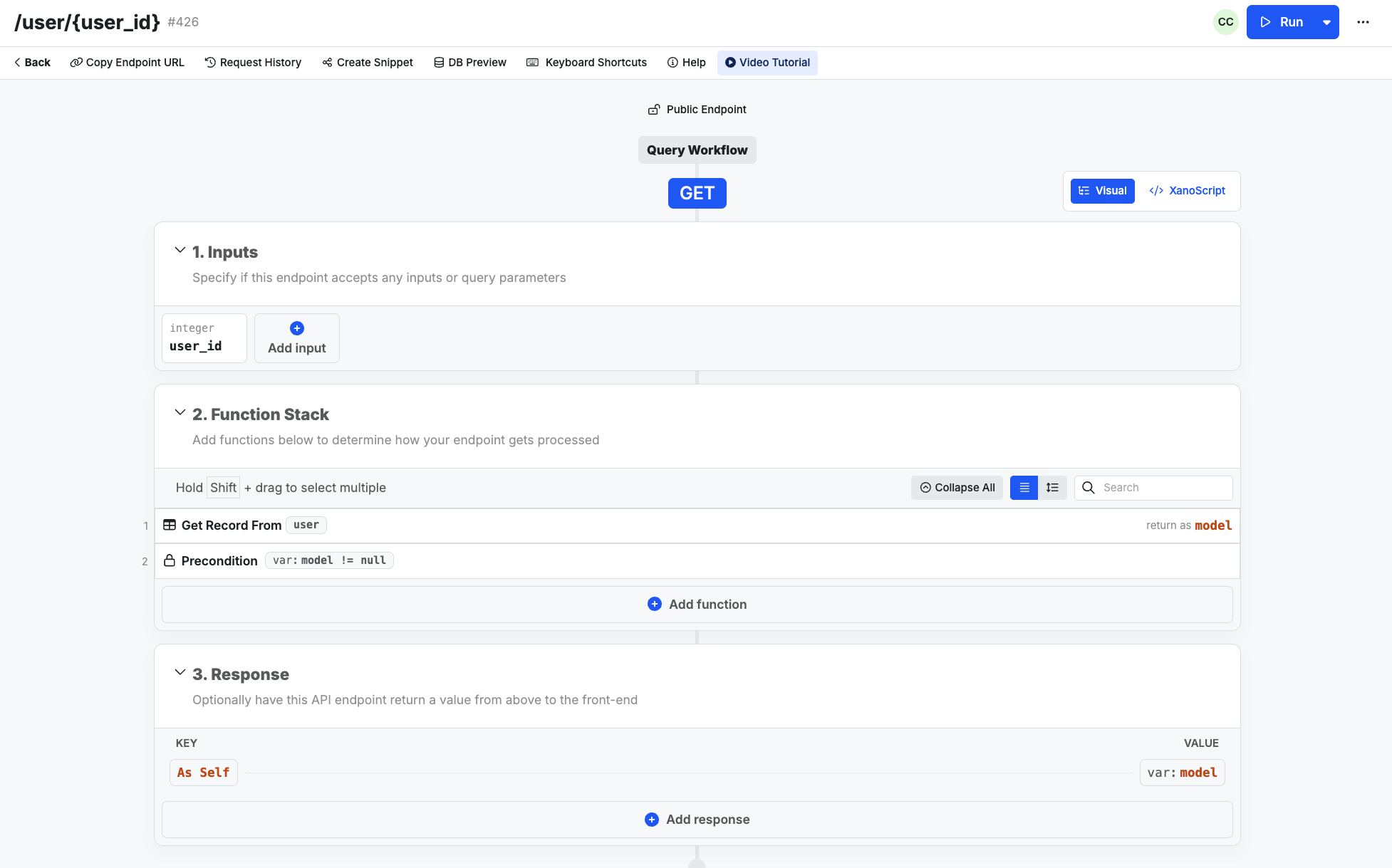
Part 1 - Definition and Inputs
query "user/{user_id}" verb=GET {
Here, we define what we are building (query is an API endpoint), give it a name user/{user_id}, and assign the verb verb=GET
int input called user_id. We’ve also applied a ? after user_id to indicate that this value is not required, and added a filter to enforce a minimum value of 1.
Part 2 - The function stack
The function stack is contained in an object that starts withstack {
Each function name is designed to be human readable, just like the function stack. They will be immediately followed by an object that provides those function parameters.
If the function outputs to a variable, that is defined after the object is closed.
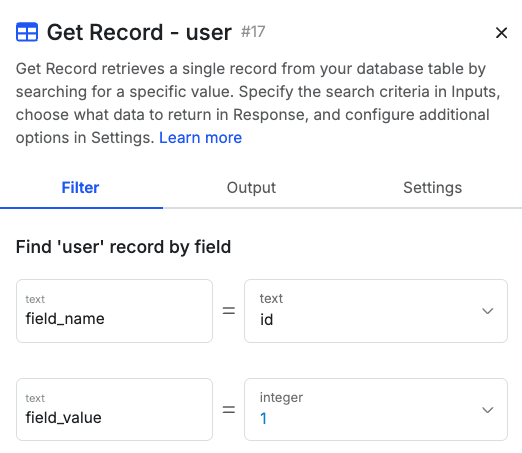
Here, we’re starting with a Get Record function on the table named user.
| Function Stack | XanoScript |
|---|---|
.png?fit=max&auto=format&n=WBQXG-4Ngk82eYAW&q=85&s=f91760b6dc75b2007c921cc9bbce6419) | |
.png?fit=max&auto=format&n=dyVYERTquSXdpw_-&q=85&s=e448f8dc40b461e5a63b753f2710010a) | |
.png?fit=max&auto=format&n=WBQXG-4Ngk82eYAW&q=85&s=ce4e88b984f868c24740d7469aa93996) |
Part 3 - The response
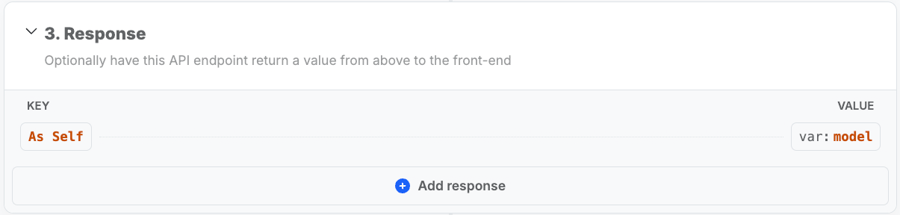
Once your inputs and function stack are defined, we can build our response. This begins with aresponse { object.
Our response will be a JSON object, which is standard.
| Function Stack | XanoScript |
|---|---|
 |
Using Functions
Functions in XanoScript are designed to be as close to second nature as possible for someone who is already familiar with building in the function stack. We’ve designed the function names and options to ensure as much parity with the visual builder as possible. Functions will typically begin with a namespace — basically, a category that the function is a part of. Each namespace is separated with a period. As an example, the namespace below is what’s used for database operations —db.
Sometimes, functions will use multiple namespaces, such as
cloud.aws.opensearch. This is infrequent though — you will usually only find yourself using a single namespace.db.get is immediately followed by the name of the table we’re querying.
"hello" vs 123).
| Function Stack | XanoScript |
|---|---|
 |
1
Build a function stack in the visual builder and review the generated XanoScript.
Add some functions to a function stack, and then click  > XanoScript in the upper-right corner.Try changing some values or adding a simple function, and watch the visual builder update with the changes you’ve made. You can switch from building with XanoScript to the visual builder at any time, and always see your changes reflected.
> XanoScript in the upper-right corner.Try changing some values or adding a simple function, and watch the visual builder update with the changes you’ve made. You can switch from building with XanoScript to the visual builder at any time, and always see your changes reflected.2
Review the function reference and build with XanoScript from scratch.
Use the function reference to see how all of our functions are written using XanoScript, and try building your own!