


NOTICEXanoScript is in beta and it is strongly recommended that you do not use it in production at this time.While there should be significant parity between the visual builder and XanoScript, we are still fine-tuning and adjusting XanoScript, and breaking changes may be introduced.
Navigation
Introduction
Key Concepts
XanoScript - Database
XanoScript - Functions and APIs
XanoScript - Background Tasks
XanoScript Function Reference
XanoScript Filter Reference
Accessing XanoScript in your Background Tasks
Use the XanoScript toggle above the function stack to access XanoScript.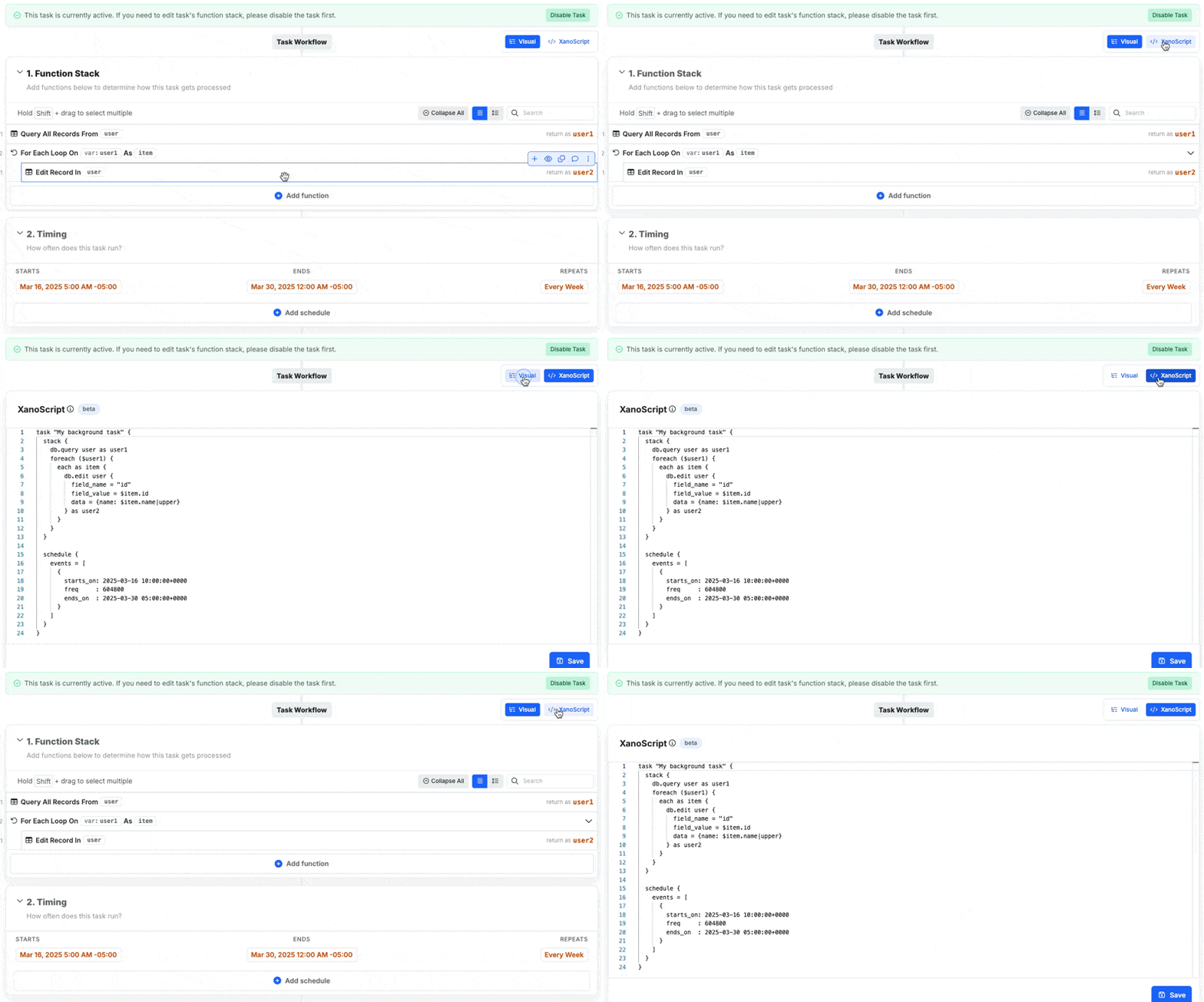
What does a XanoScript Background Task look like?
This is a typical background task that loops through some database records on a cadence.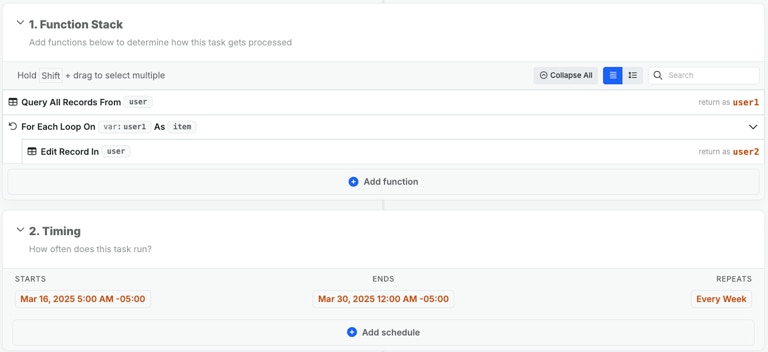
1
Definition and settings
Give your task a name, and include a { at the end.You can add a description as the first line inside of the braces.
2
The function stack
Please refer to XanoScript for Function Stacks to learn how function stacks are written in XanoScript.
3
Schedule
The scheduling of a background task begins with:Inside of the Events array, you’ll want to add an object for each scheduling item. These objects contain a This represents a weekly recurring task that starts on Sunday, March 16, 2025 at 10:00 AM UTC and runs for two weeks, ending on Sunday, March 30, 2025 at 5:00 AM UTC. The frequency is set to 604800 seconds (7 days).
starts_on date/time, a frequency in seconds at which the task should run, and an ends_on date/time.