

 Xano
XanoEnvironment Variables
Variables that are available across your entire workspace
What are environment variables?
Environment variables are persistent variables that are available across your entire workspace. Typically, these are used to store things like external API keys or other sensitive information that you need to use across multiple function stacks, without storing it in a database table. Environment variables can be read in any logic or workflow, but they can not be modified from anywhere but this settings panel, so it’s best to only use them for things that you don’t need to change often.Adding Environment Variables
Click the icon in the upper-right corner to open Settings. On the next screen, click ‘Manage’ to edit your environment variables.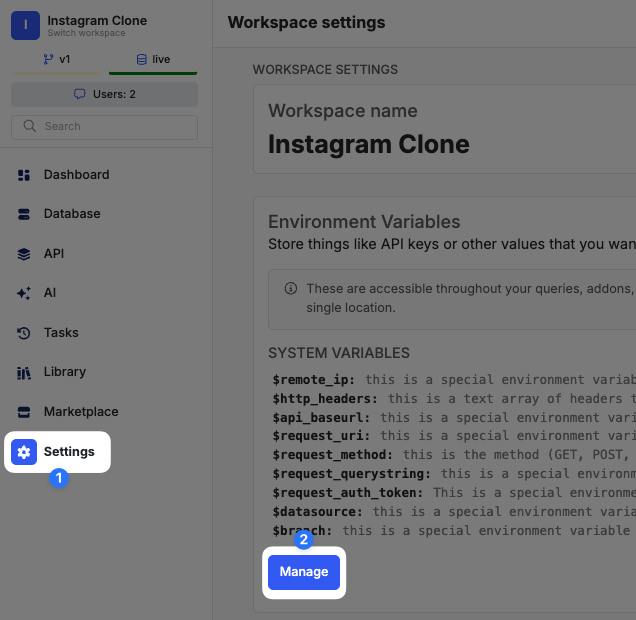
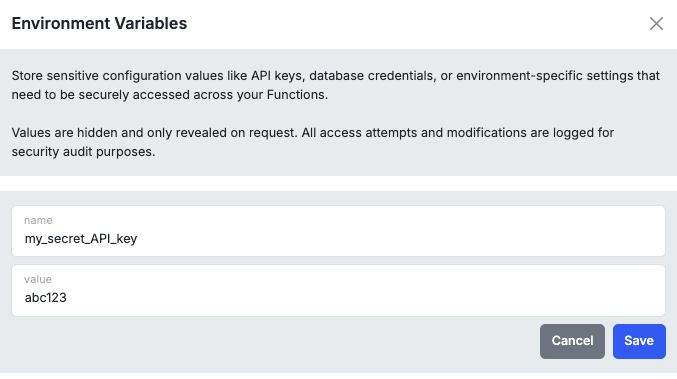
Using Environment Variables
Environment variables are available in any logic or workflow from a value dropdown under ENV.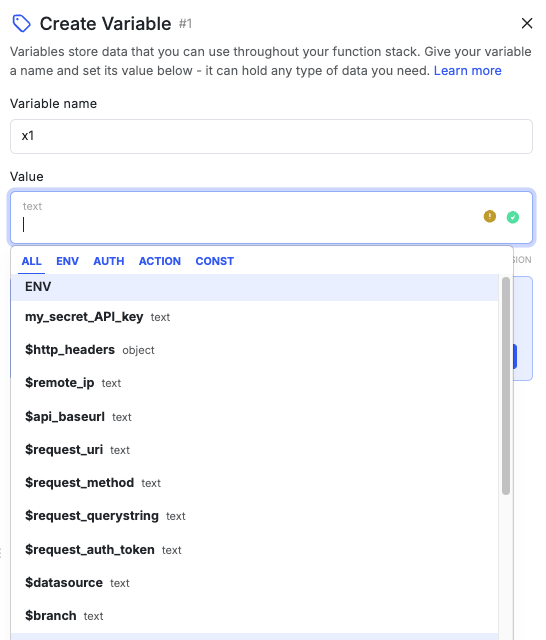
Xano-generated Environment Variables
Xano maintains several environment variables you can use.To find navigation and other pages in this documentation, fetch the llms.txt file at: https://docs.xano.com/llms.txt