

 Xano
XanoTop Navigation Bar
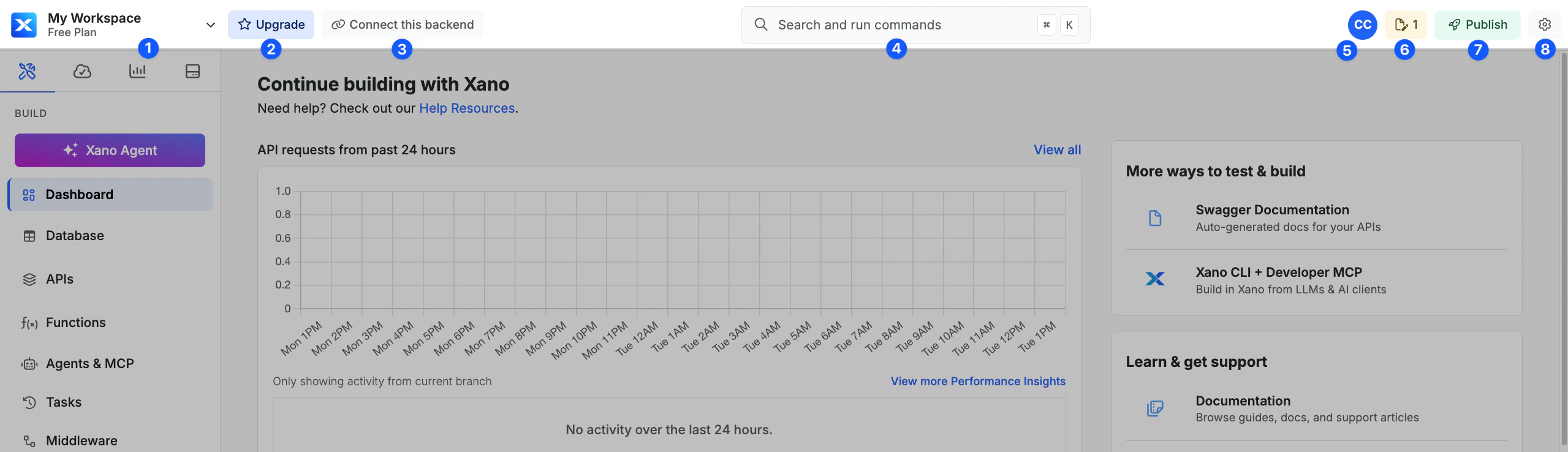
- Workspace Selector - Selecting this opens a comprehensive dropdown with workspace switching, billing and account information, referrals, theme settings, and a logout function
- Upgrade - When applicable, we’ll give you quick access to the most sensible upgrade path
- Connect - Opens a modal offering several different options for connecting your backend to other entities, such as a frontend via REST APIs, MCP servers, or direct database connections
- Search Bar - Search your entire workspace for any objects, such as tables or API endpoints. Can also be opened with Cmd / Crtl + K
- User/Team Menu - Shows current workspace team members and gives quick access to team management and collaboration
- Drafts - Provides quick access to all items currently in draft state, and an option to reset your drafts
- Publish - Review any pending changes and publish them
- Workspace Settings - Workspace settings, defaults, environment variables, GitHub Sync, middleware defaults, workspace triggers, processing jobs, realtime settings, database preferences, and Xano Link.
Sidebar
The sidebar is separated into four categories. When the sidebar is expanded, all four tabs show as labeled buttons. When the sidebar is collapsed, only the active tab icon shows, with a dropdown to switch tabs.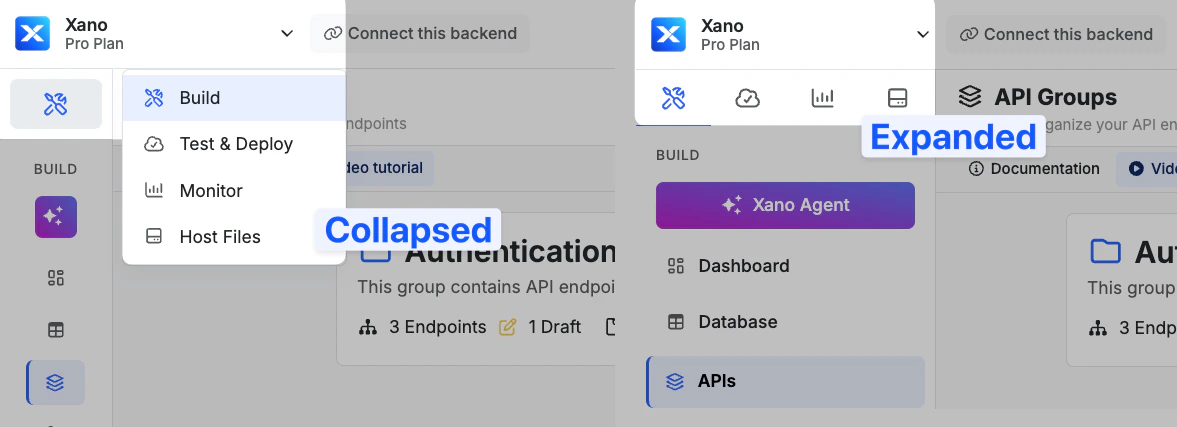
Click to expand
- Build
- Test & Deploy
- Monitor
- Host Files
- Dashboard
- Database
- Addons
- APIs
- Functions
- Agents & MCP
- Tasks
- Middleware
- Keys & Variables
Footer

Click to expand
- Branch Selector with color indicator and LIVE badge
- Data Source selector with color indicator
- Server Region