Build your entire backend with a single prompt using the AI-powered Xano Agent
Xano Agent is an AI assistant built into Xano that can create, modify, and manage your backend through natural language. Describe what you want — database tables, API endpoints, middleware, functions — and Xano Agent builds it for you in XanoScript, ready to review and publish.Everything Xano Agent creates is standard Xano — you can open it in the visual editor, edit it as XanoScript in your IDE, or refine it with the AI assistants. These are all different ways to work with the same underlying resources, so you’re never locked into one approach.
Looking for AI Agents you can build and deploy as part of your backend? See AI Agents instead.
Xano Agent operates directly inside your workspace. You chat with it, it proposes a plan, writes the XanoScript, and presents the changes for your review before anything goes live.
1
Open Xano Agent
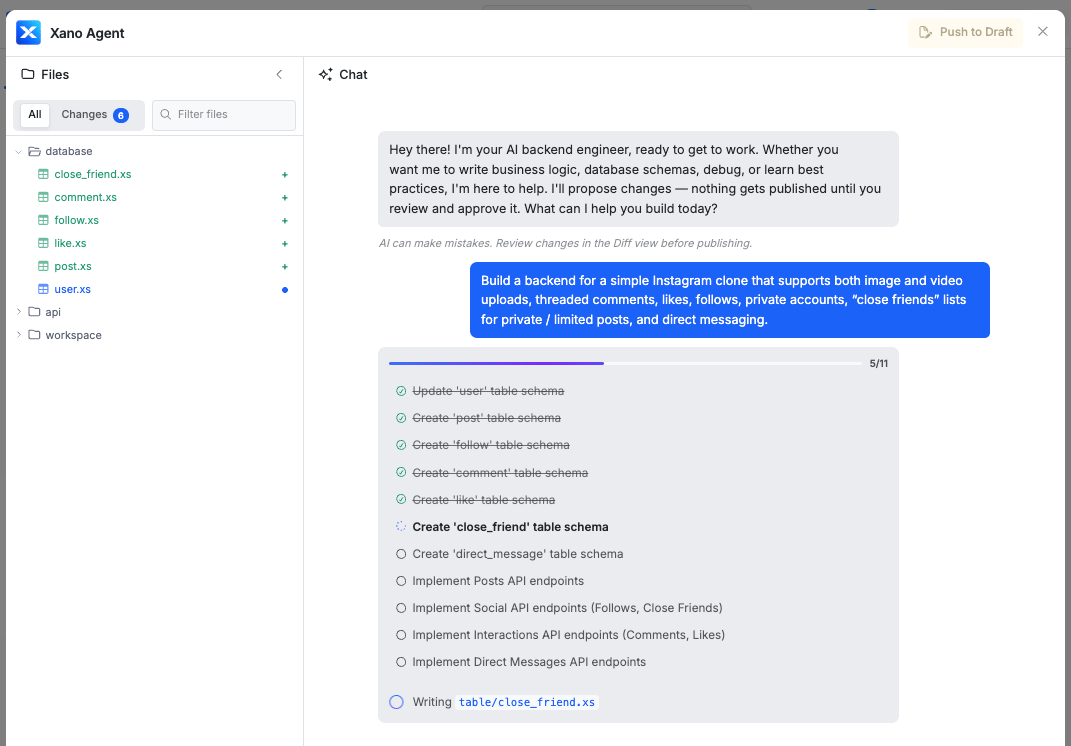
Open Xano Agent from inside your workspace. You’ll see a chat interface with a file browser on the left showing your workspace contents.
2
Describe what you want to build
Type a prompt describing your backend requirements. Xano Agent works best with detailed, specific requests. For example:
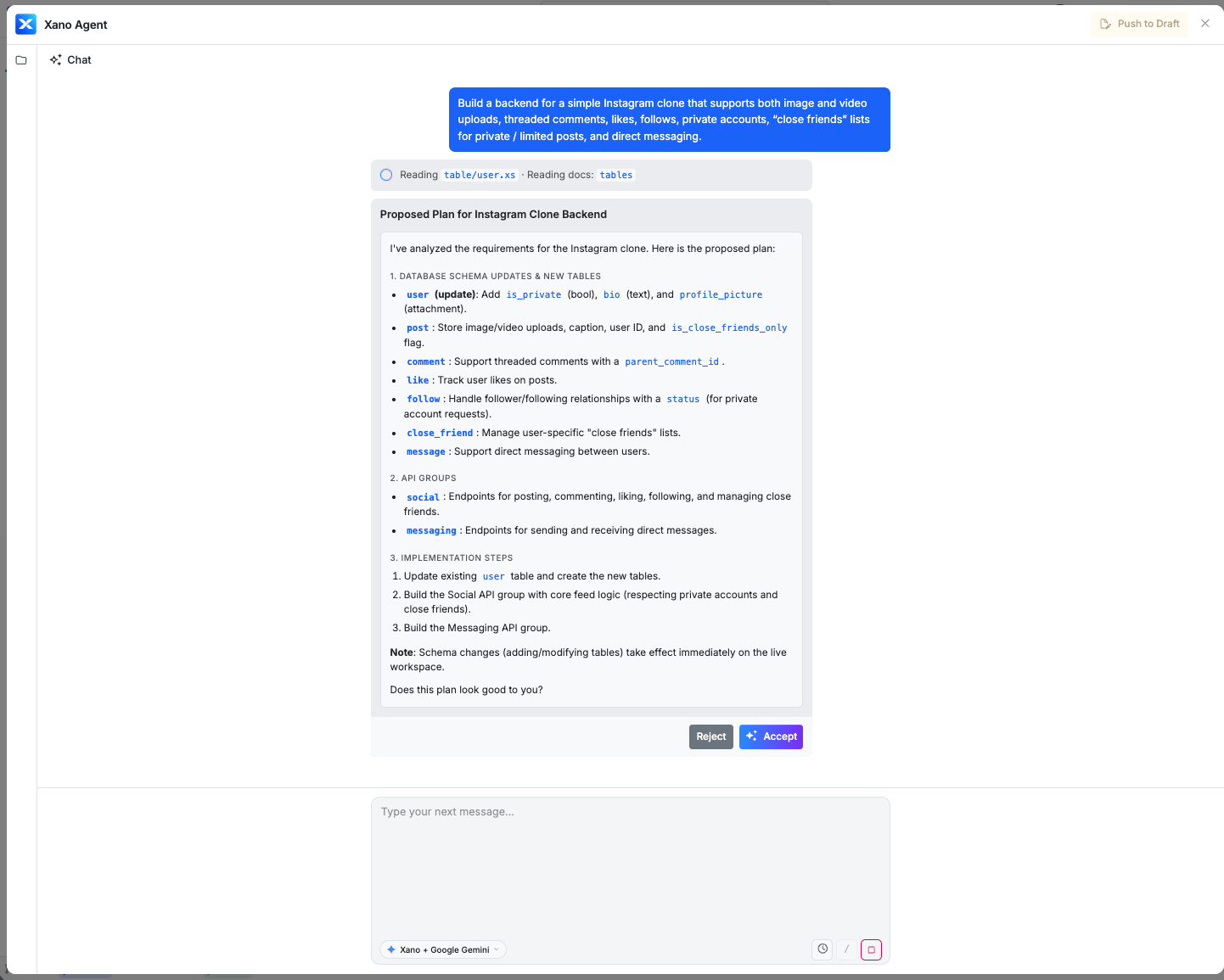
Build a backend for a simple Instagram clone that supports both image and video uploads, threaded comments, likes, follows, private accounts, “close friends” lists for private / limited posts, and direct messaging.
Xano Agent will analyze your request and present a proposed plan — including the database schema, API groups, and endpoints it intends to create.
Chat with Xano Agent to describe your backend
3
Review the generated code
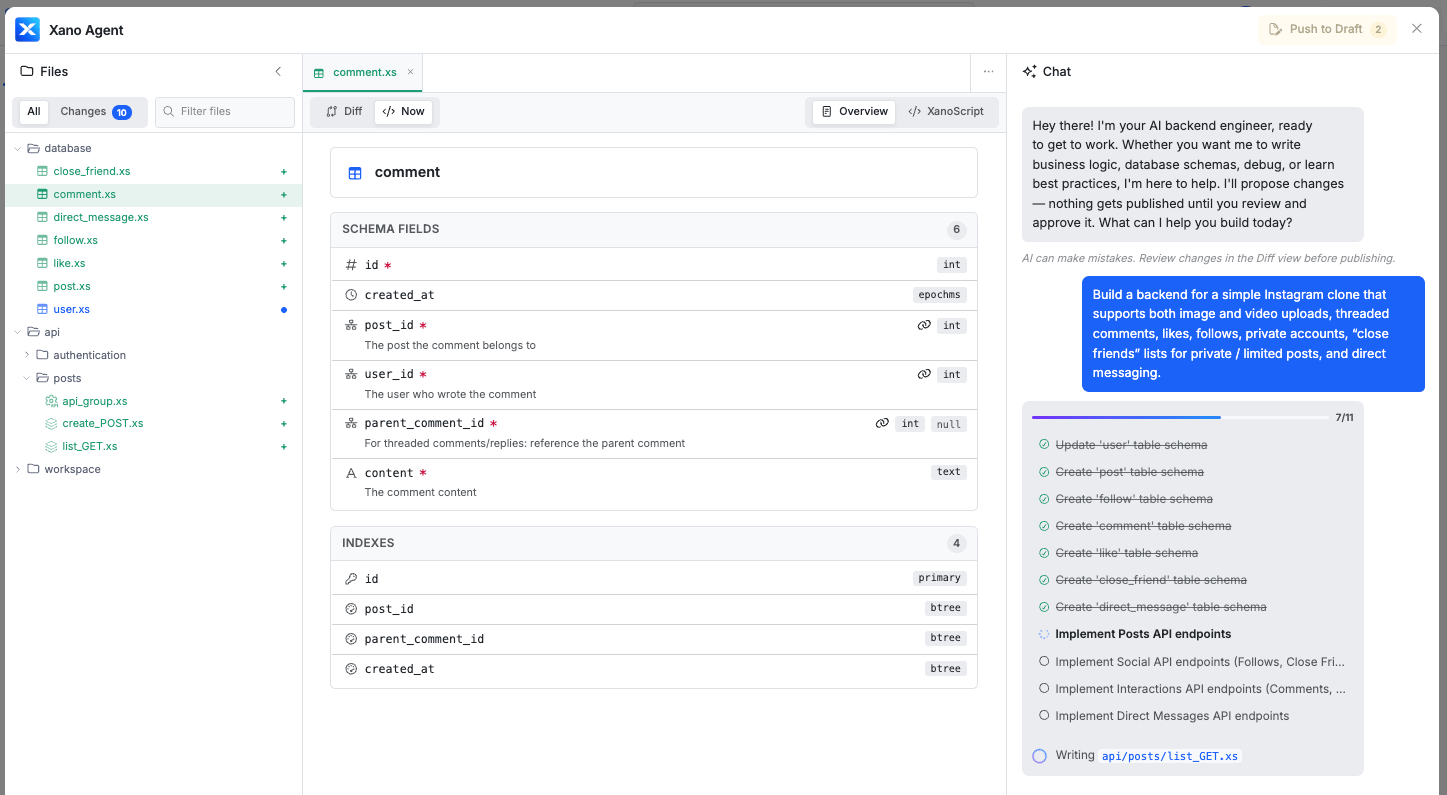
As Xano Agent builds, you can view the generated XanoScript in the code editor. The file browser updates in real-time as new tables, APIs, and other resources are created.Toggle between Summary and XanoScript views to inspect the logic from different angles.
Inspect generated XanoScript in the code editor
Review the code in a summary or XanoScript view
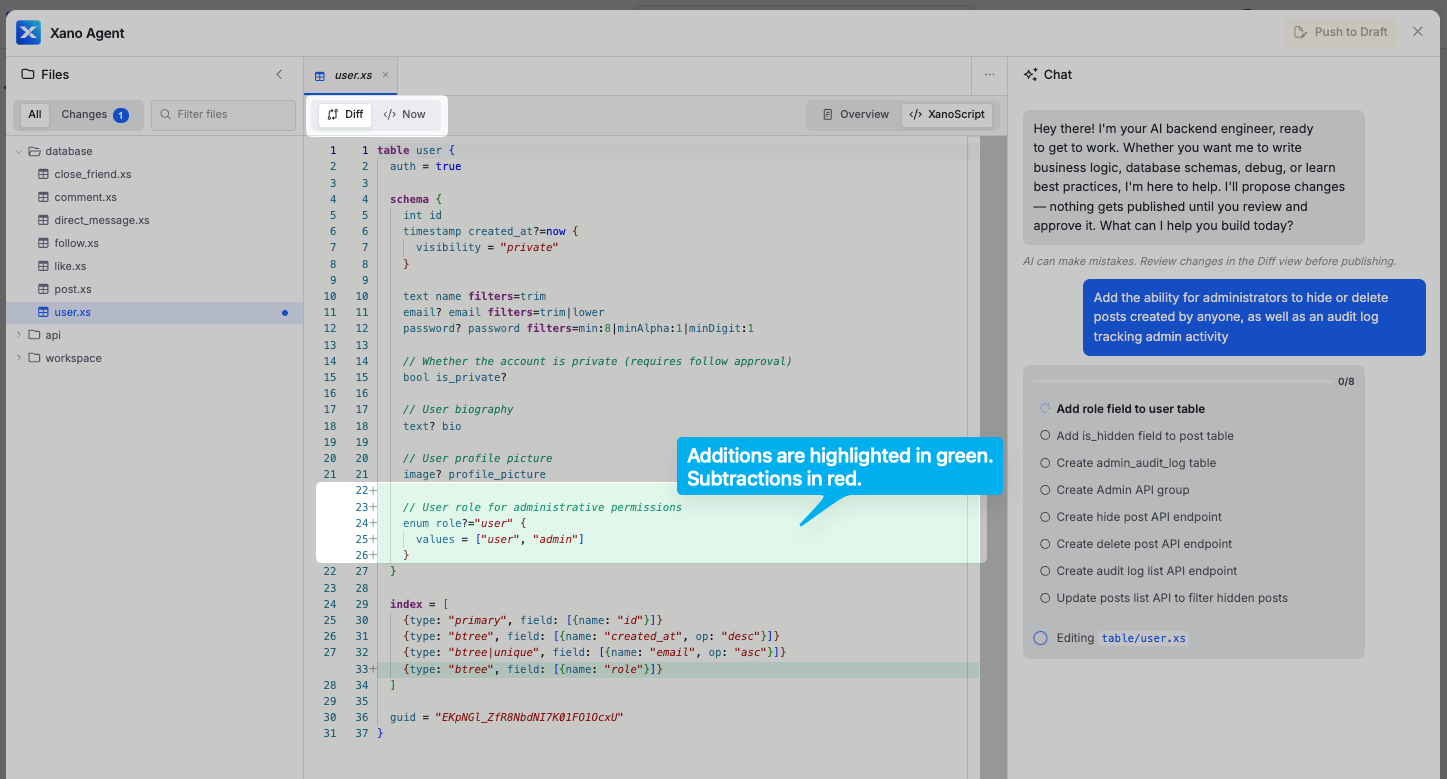
If you’re using the Agent to make modifications to something instead of starting fresh, you’ll also be able to take advantage of the Diff view to see the changes easily.
Xano Agent Diff View
4
Push to Draft
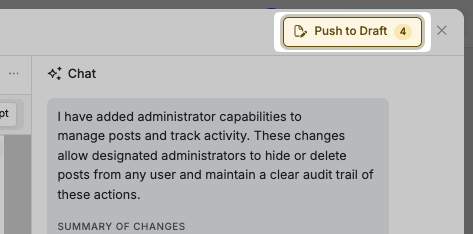
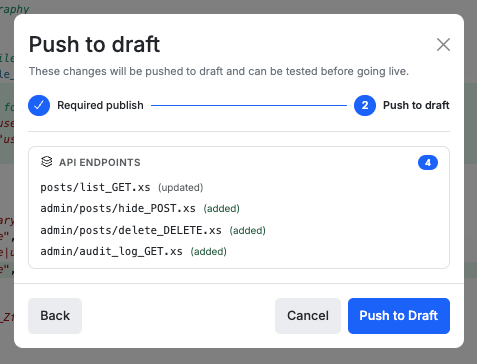
Click Push to Draft once you’re ready to apply the changes the Agent built to your workspace. You can always continue the conversation now to iterate, or come back to it later.
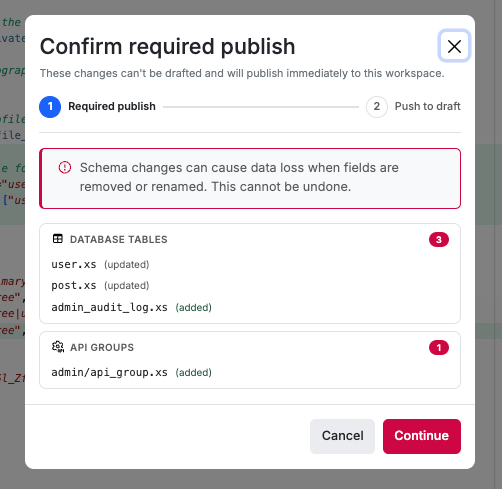
When you’re satisfied with what you have built using the Xano Agent, click Push to Draft to stage your changes.Sometimes, you may be asked to Confirm required publish for items that don’t support draft states. Currently, this includes:
Database tables
API groups
Xano will show you exactly which items will be published directly so there are no surprises.
Confirm which items will be published
For the rest, it will be pushed to a draft state for you to publish whenever you’re ready.
Xano Agent is one of several ways to build your backend. They all produce the same output and work with the same resources — pick whichever fits the task at hand, or combine them.


 Xano
Xano